eBPF Routing Acceleration
Overview
Landscape Router uses eBPF to process eligible forwarded packets in the kernel. Depending on the attachment mode, this accelerated path can bypass the traditional Netfilter forwarding path.
Prerequisites
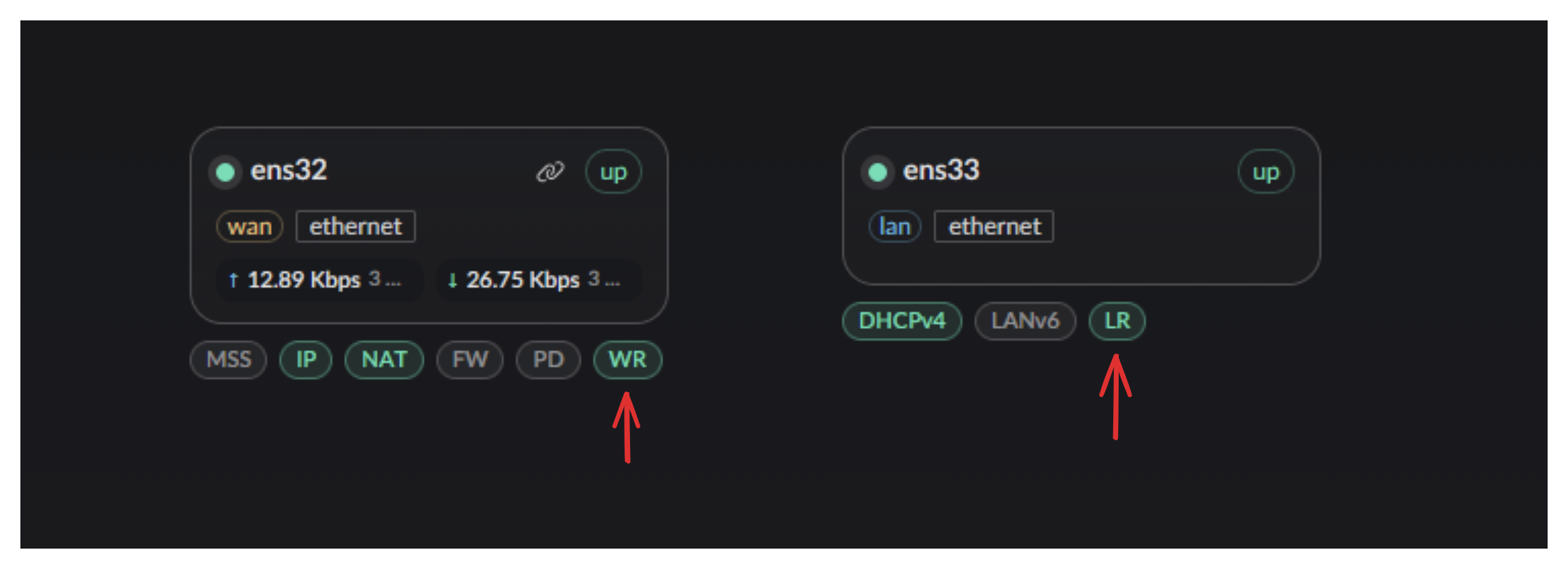
For LAN and WAN to communicate normally, route forwarding must be enabled on the corresponding interfaces.
TIP
Open the interface configuration page, select the relevant WAN and LAN interfaces, and enable the Route Forwarding Service option.
How the Acceleration Works
Netfilter Packet Flow
The diagram below shows the full Netfilter packet flow:
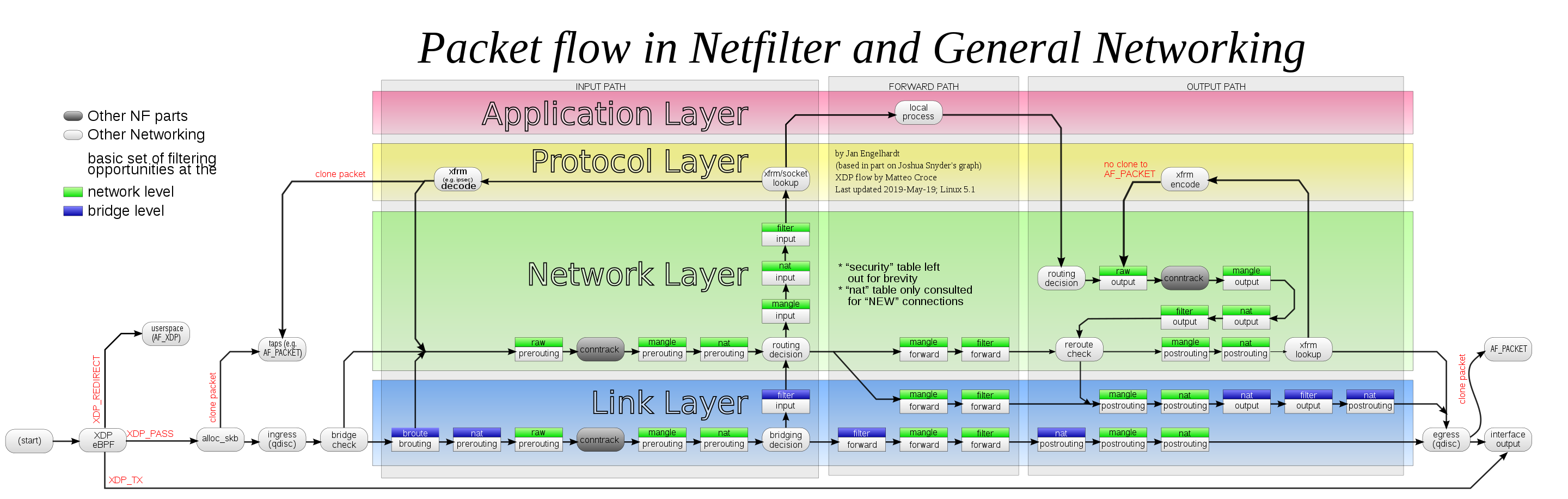
Image source: Wikipedia - Netfilter (CC BY-SA 3.0)
Traditional Routing vs eBPF Routing
Traditional approach (Netfilter / iptables / nftables)
Forwarded packets must pass through multiple Netfilter hook points. Taking LAN → WAN as an example:
NIC receive → Pre-routing (connection tracking)
            → Routing decision
            → Forward (firewall filtering)
            → Post-routing (SNAT / Masquerade)
            → Transmit
The WAN → LAN direction is symmetric, except DNAT (port forwarding) occurs in the Pre-routing stage, with connection tracking ensuring reply packets are automatically restored.
TC (Traffic Control) layer approach
On Landscape's accelerated path, forwarding occurs at the ingress/egress (qdisc) layer. Landscape selects the target interface before the packet enters the Netfilter forwarding path and redirects it directly.
Acceleration path:
NIC receive → driver → SKB alloc → eBPF processing (TC layer) → bpf_redirect() → target NICXDP (eXpress Data Path) approach
XDP processes packets at the NIC driver layer, before SKB (socket buffer) allocation. Avoiding that allocation can reduce per-packet overhead compared with the TC path.
Acceleration path:
NIC receive -> XDP processing (driver layer, before SKB alloc) -> bpf_redirect() to target NICEnabling XDP
Pass the --try-xdp flag when starting Landscape Router:
landscape-webserver --try-xdpOr restrict to specific interfaces:
landscape-webserver --try-xdp=eth0,eth1If the NIC driver does not support native XDP, Landscape falls back to the TC path.
Performance Tests
These results describe the listed test environments. Actual throughput depends on the CPU, NIC, driver, packet size, and enabled services.
Metric Definitions
- RX-PPS: received packets per second
- RX-BPS: received bits per second
Test Environment 1
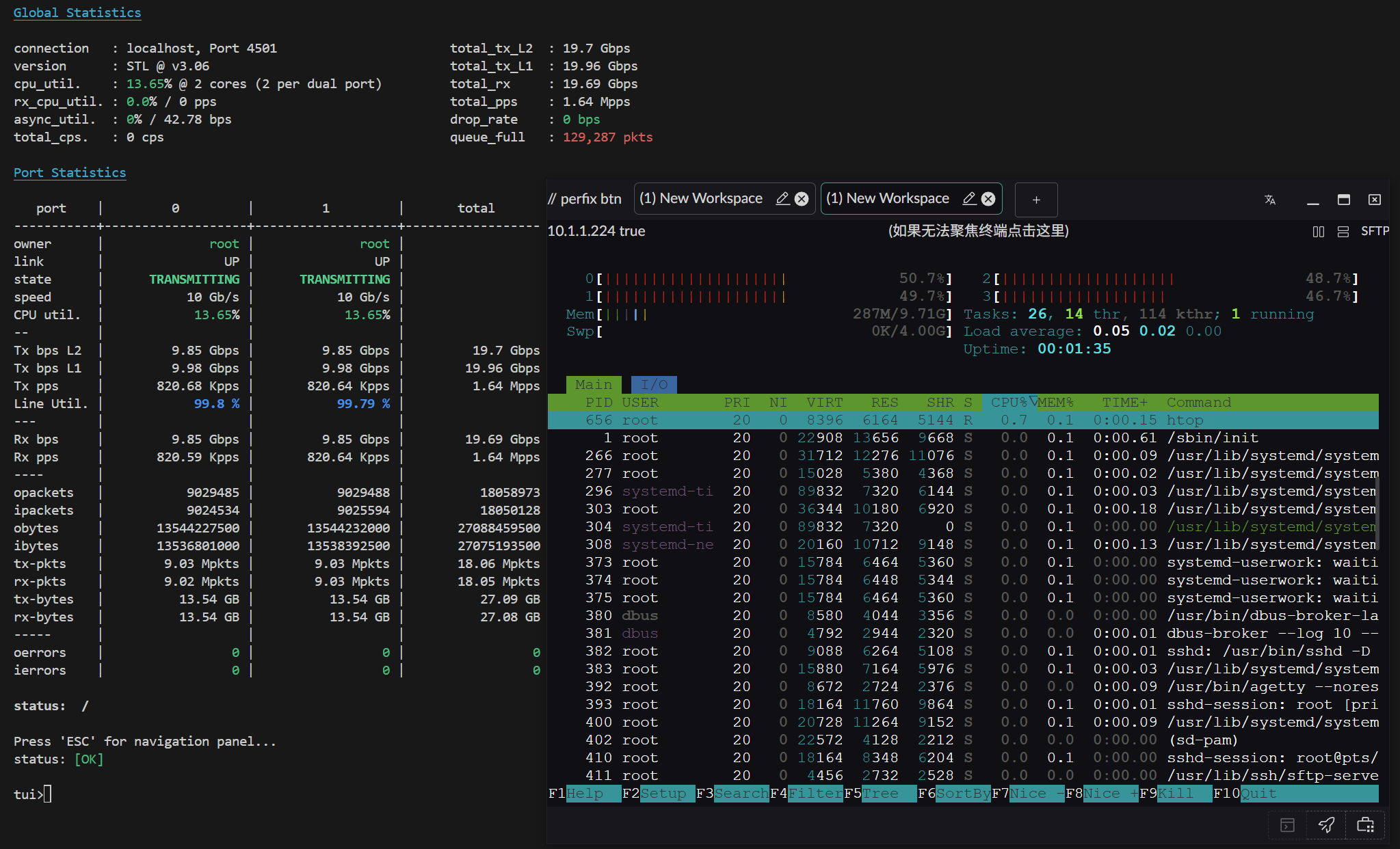
Configuration:
- Operating system: Arch Linux (kernel 6.12.63-1-lts)
- CPU: AMD 2700X (PVE virtual machine with 4 physical cores)
- NIC: Passthrough X520-DA2 (10Gbps)
Results:
Small packet performance (64 bytes)
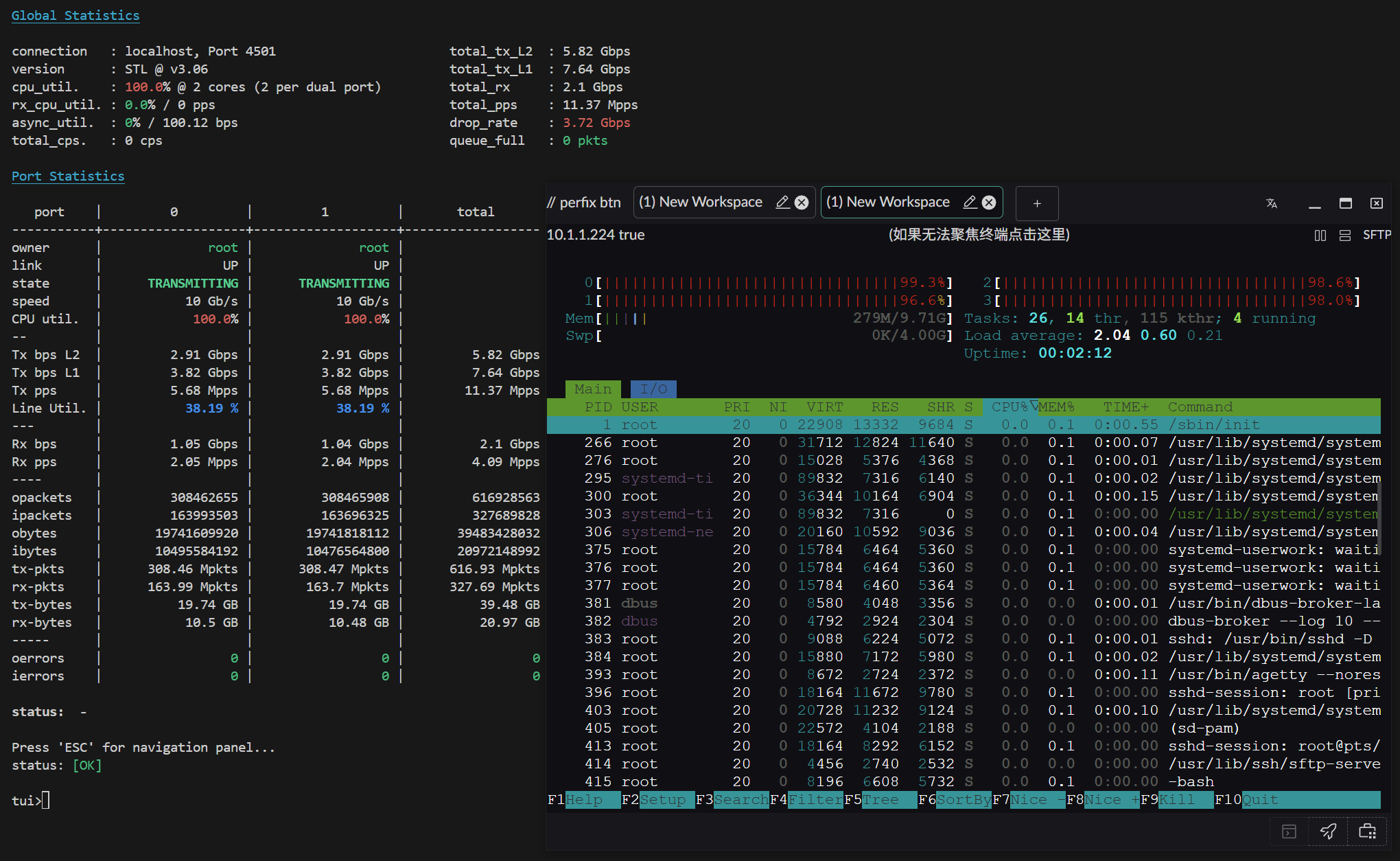
Large packet performance (1500 bytes)
Test Environment 2
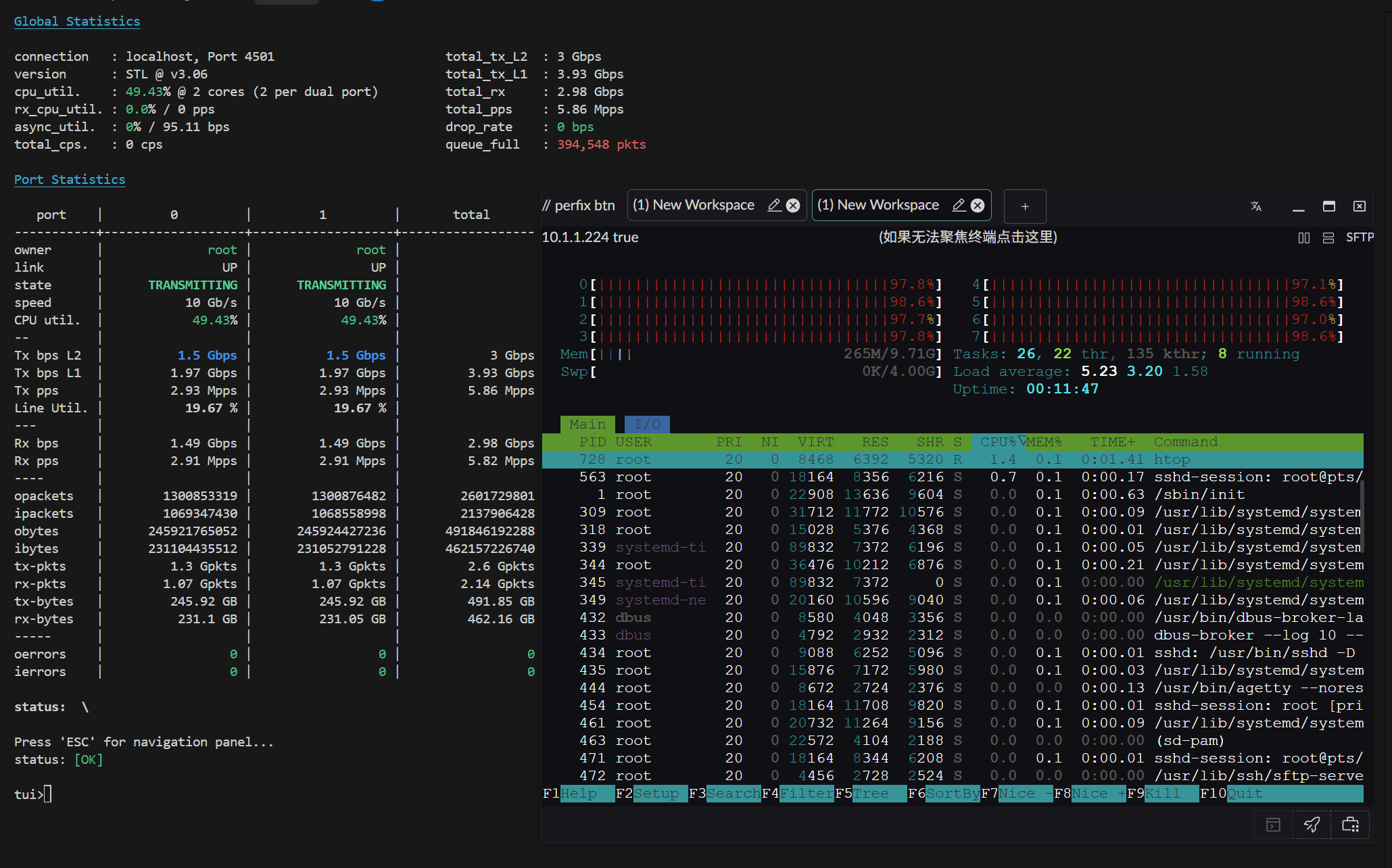
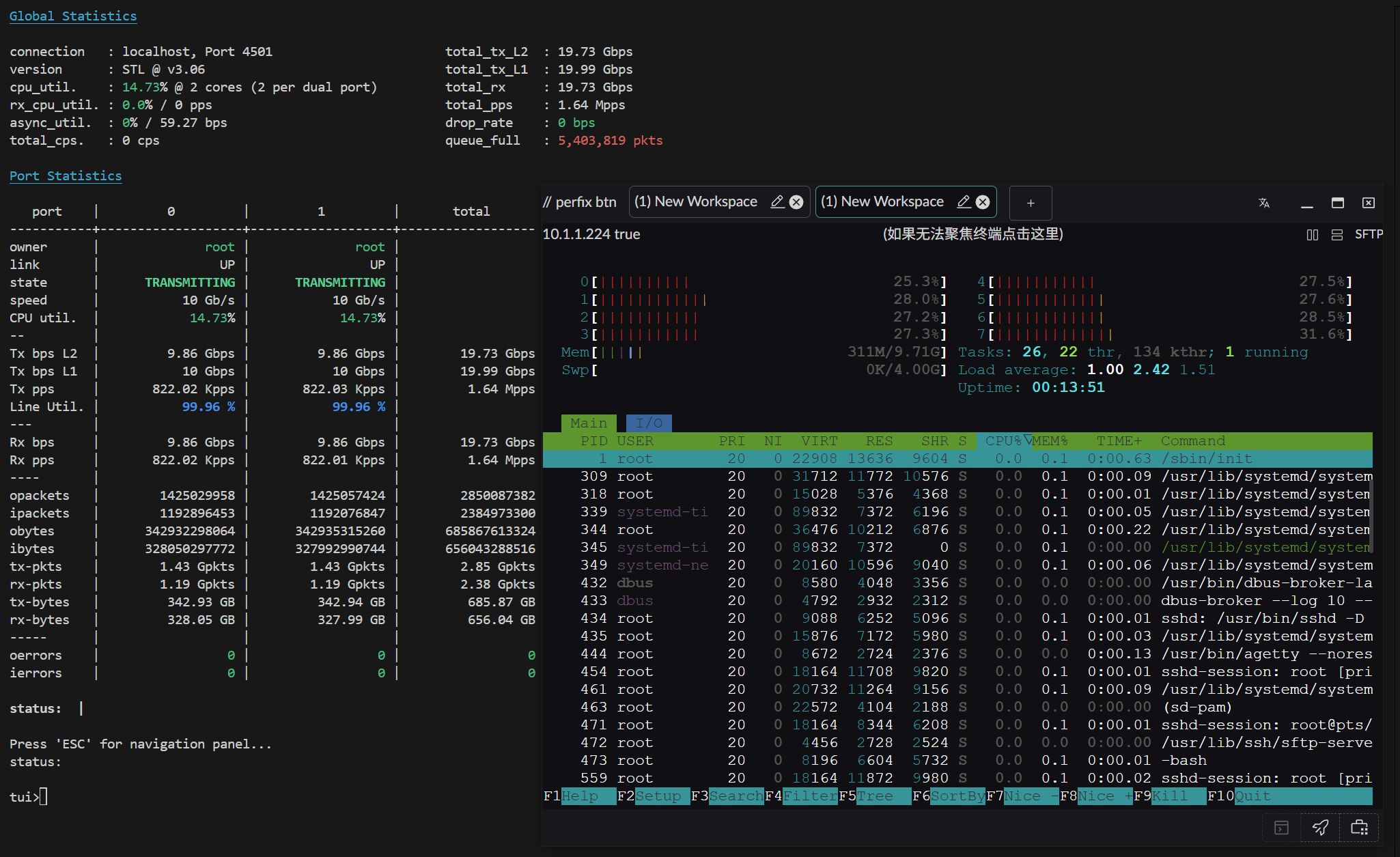
Configuration:
- Operating system: Arch Linux (kernel 6.12.63-1-lts)
- CPU: AMD 2700X (PVE virtual machine with 4 physical cores / 8 threads)
- NIC: Passthrough X520-DA2 (10Gbps)
Results:
Small packet performance (64 bytes)
Large packet performance (1500 bytes)
Test Environment 3 (XDP + NAT Forwarding)
Configuration:
- Operating system: Arch Linux (CachyOS Server)
- CPU: Intel 9100T (4 cores / 4 threads)
- NIC: Passthrough X520-DA2 (10Gbps)
Tool: TRex ASTF (stateful traffic)
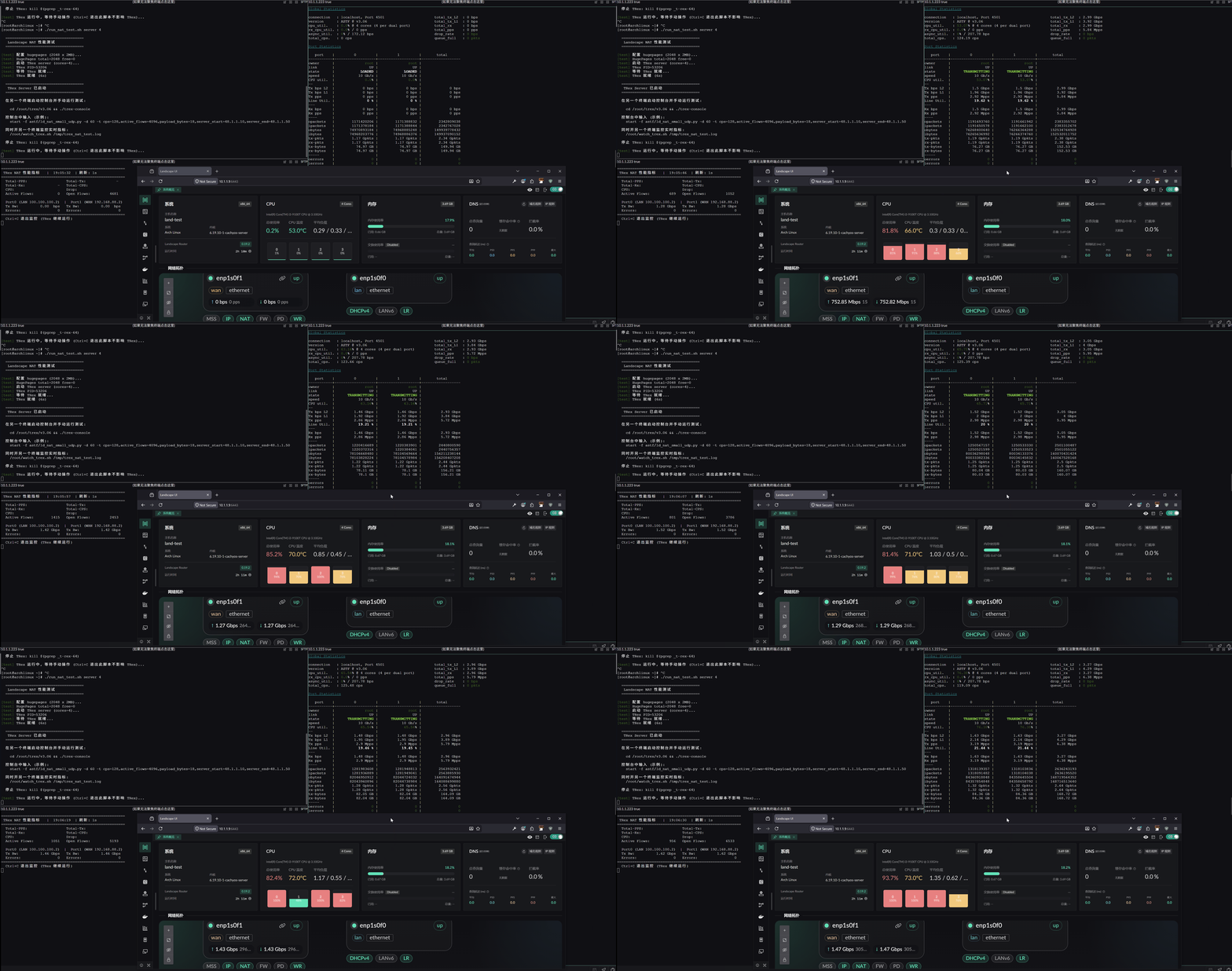
Result (bidirectional 64-byte small packets):