DNS Setup
This guide walks you through DNS configuration: setting upstream DNS servers and creating redirect rules, so devices on your LAN can resolve domains properly.
By default Landscape uses Cloudflare as the upstream DNS provider. You can change it.
Configuring upstream DNS servers
An upstream DNS is the external DNS service Landscape Router uses to resolve domains.
- Pick DNS in the left-hand menu
- Find the Upstream DNS submenu
- Click add to create a new upstream, or edit an existing one. Landscape ships several presets you can use to fill the form quickly.
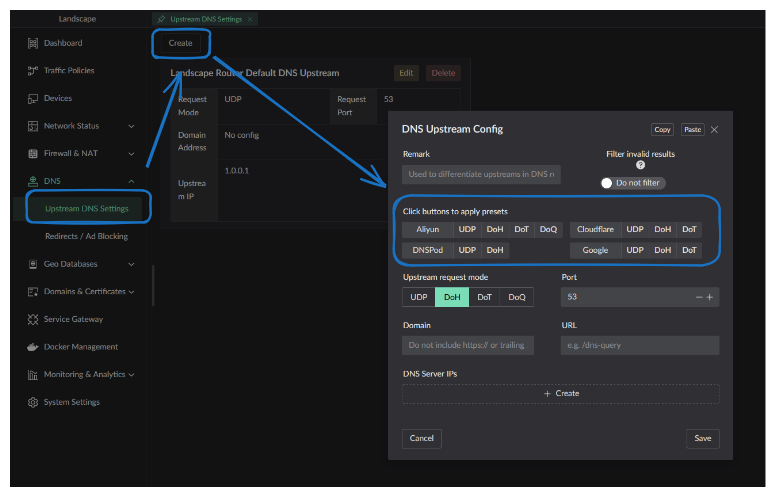
- You can add multiple upstreams so different domains resolve through different servers. Below I added one and modified the default, which the rest of this page builds on.
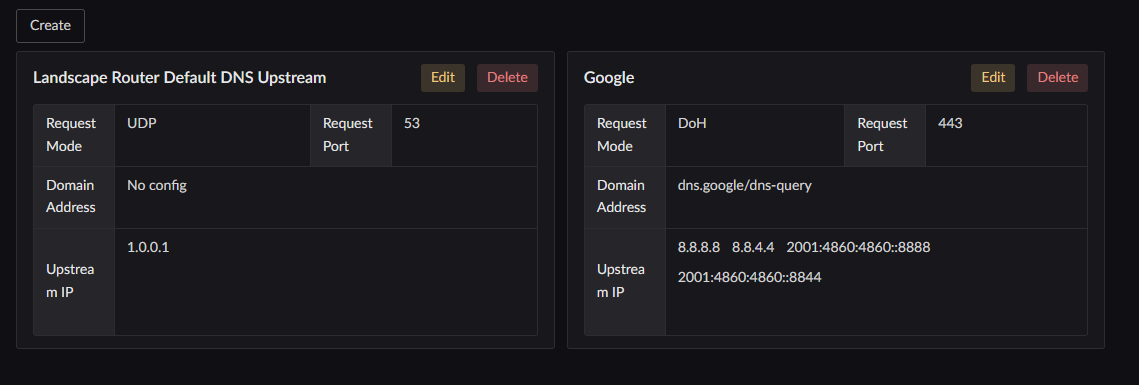
Assigning domains to an upstream
The upstream configuration defines the available resolvers. DNS rules decide which resolver handles each domain.
Click Flow Settings in the left-hand menu to open the flow configuration page, then click the DNS button on the Default Flow card. 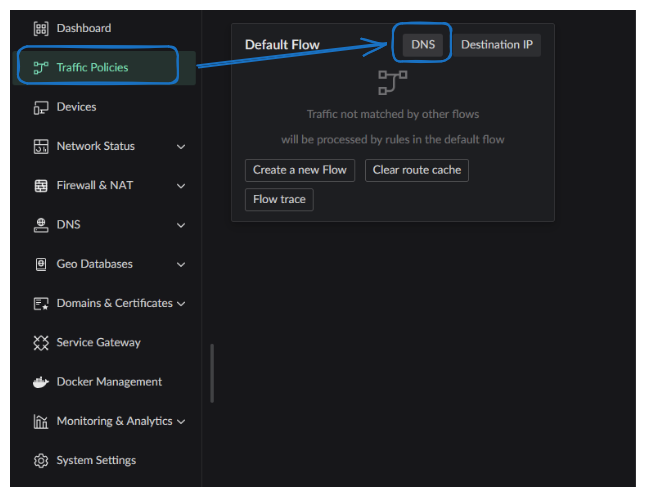
The DNS rule list opens: 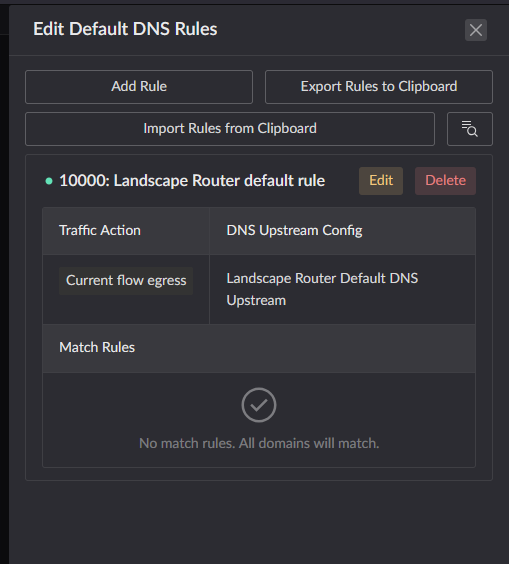
The initial list contains one default rule. Three fields matter here:
- The rule's priority is
10000 - Its upstream is
Default - Its match rules are empty, so it matches every domain
At this point, every domain matches this rule. You can use the query button at the top right to run a DNS query and check how rules are being applied. 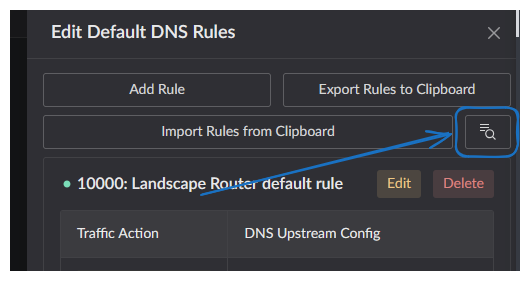
The query panel shows:
- The Flow used for the check; Flow 0 is the default Flow
- The queried domain, with shortcuts for common domains
- The rule that handled the domain
- The response from the upstream DNS server
- The cached response, which can be compared with the live response
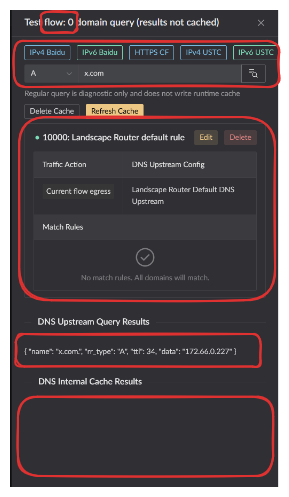
The default Flow currently handles x.com. The following examples show how a new rule's numeric priority changes the result:
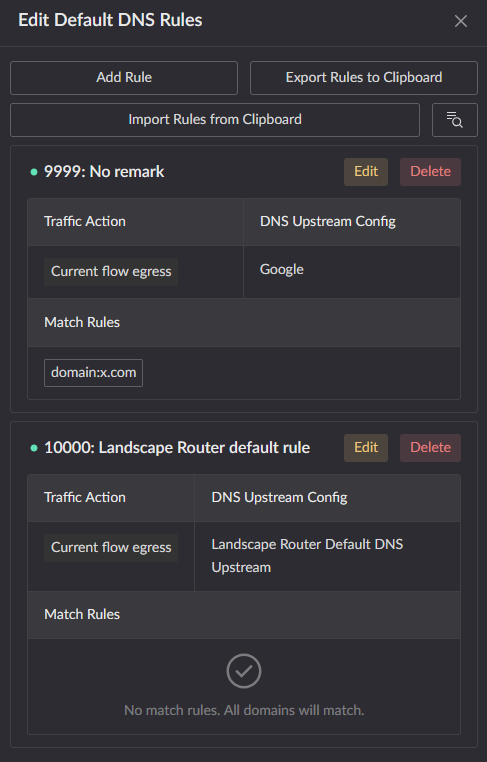
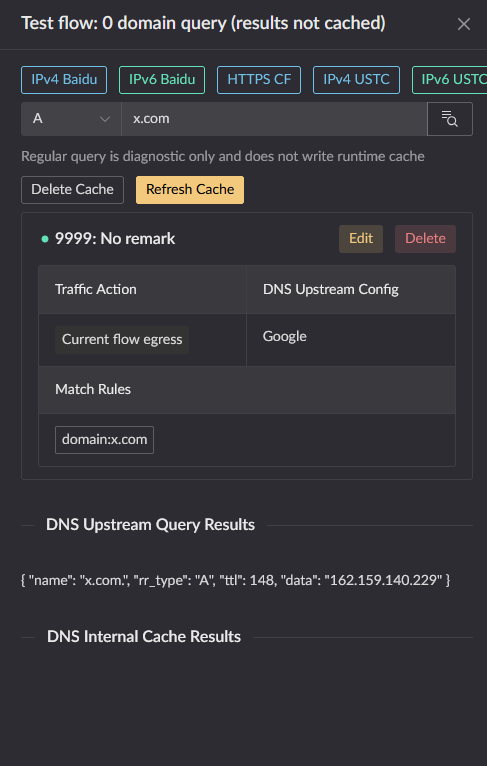
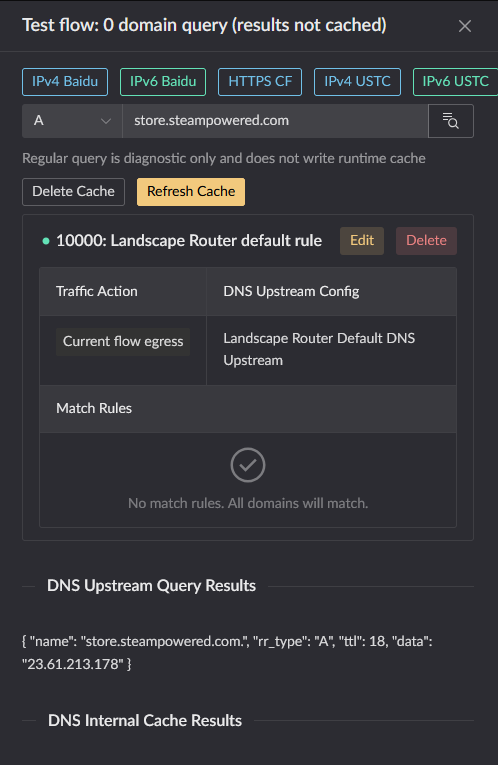
x.commatches rule 9999, so evaluation stops.store.steampowered.comdoes not match rule 9999, so rule 10000 handles it.
DNS rules are evaluated in numeric priority order. Evaluation stops at the first matching rule.