Basic System Settings
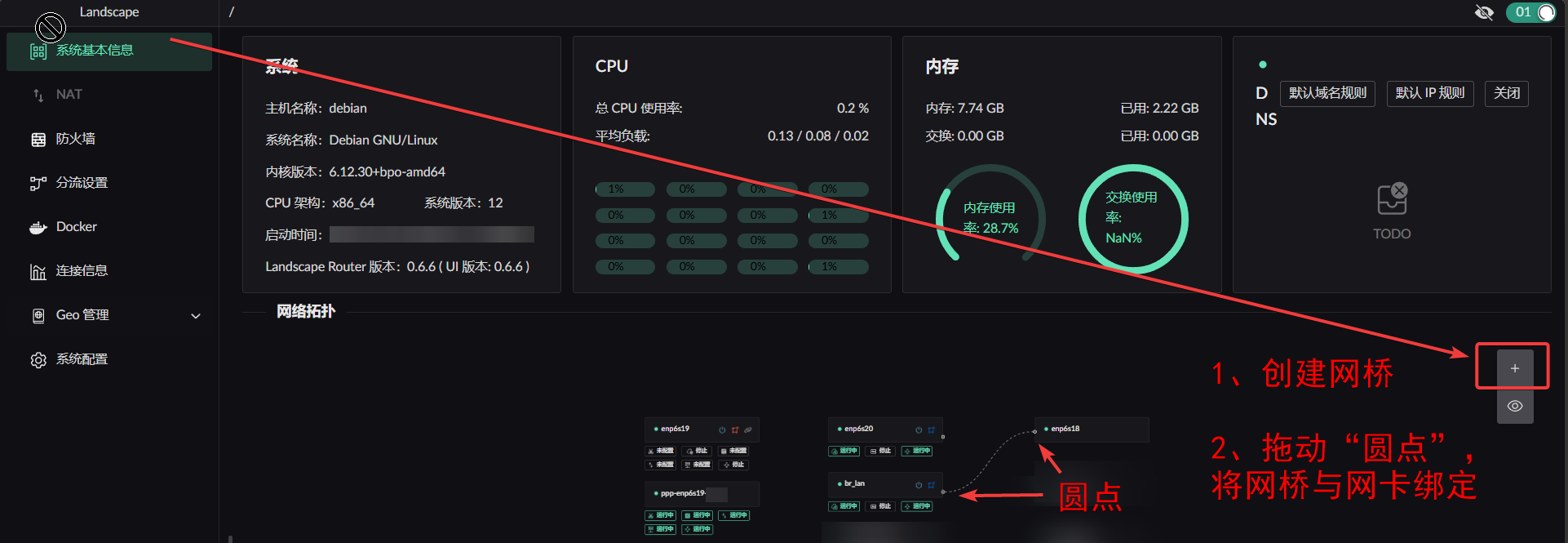
Creating a bridge
- Create the bridge
- Attach interfaces to it
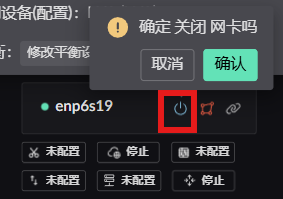
Enabling / disabling an interface
Wireless interfaces
Paste your hostapd configuration into the input box.
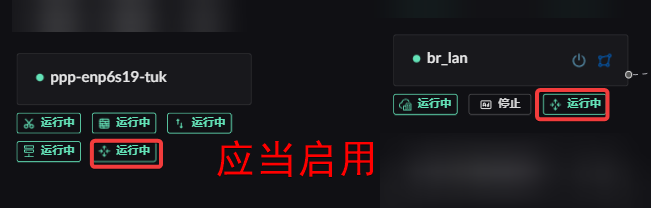
Enabling route forwarding on WAN and LAN interfaces
VLAN configuration
This is a temporary approach. Once creating VLAN interfaces is supported in the UI, you will need to remove the VLAN configuration added here manually.
Using Debian as an example, create the VLAN interfaces in /etc/network/interfaces and set them to manual. Example:
shell
# This file describes the network interfaces available on your system
# and how to activate them. For more information, see interfaces(5).

source /etc/network/interfaces.d/*

# The loopback network interface
auto lo
iface lo inet loopback

auto eth0
iface eth0 inet manual

# Create a VLAN interface with VLAN id 10, bound to the physical interface eth0
auto eth0.10
iface eth0.10 inet manual
    vlan-raw-device eth0       # bind the physical interface

# Create a VLAN interface with VLAN id 20, bound to the physical interface eth0
auto eth0.20
iface eth0.20 inet manual
    vlan-raw-device eth0       # bind the physical interface